Makeblock · 5 min read
How to Choose a Coding Robot or STEM Kit for Kids
A practical guide to the features that matter when picking a coding robot or STEM kit for a child, with examples from the Makeblock range listed on our site.
Short on time?
Our top picks
Chosen from products we have reviewed. The reasoning is in the guide below.
Best for beginners
Makeblock
Makeblock CyberPi: Educational Electronics Kits for Beginners to Learn Programming
· Multi-function microcontroller for learning computer science. · Built-in electronic sensors and full-color display screen. · Teach and learn Block-based and Python coding. · Rechargeable and long-lasting battery included.
$61.99 $54.99
Best for customization
Makeblock
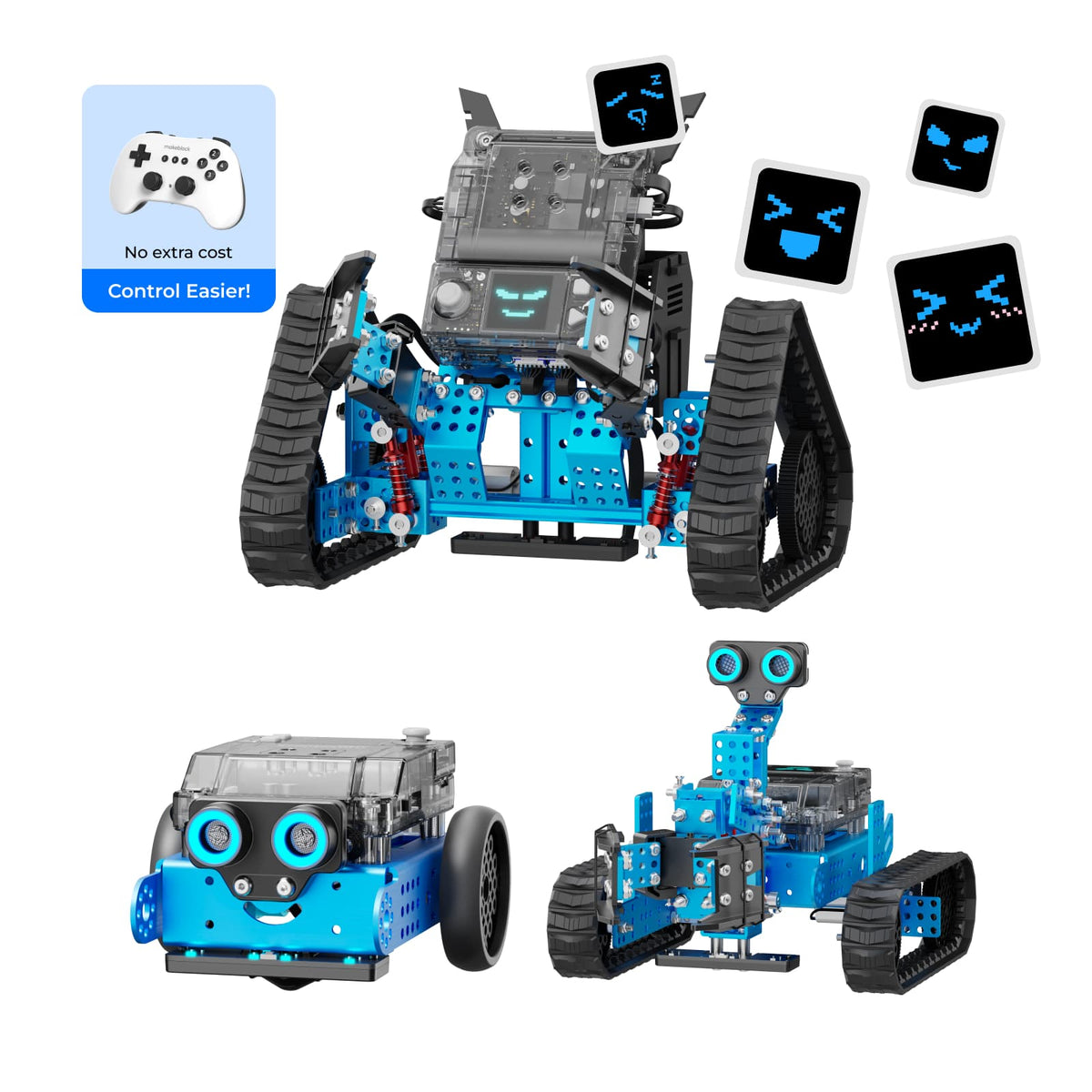
Makeblock mBot2 Rover Robotics Kit: Kid's Interactive Emo Robot for Coding Learning and Outdoor Play
· 3 Forms to Build: mBot2 (coding robot), mBot2 Rover(robot tank with DIY emojis), mBot2 Ranger(robot tank with robotic arm) · Full-color Display Screen: Supporting customize Rover's emojis through AI-generated or free doodling in mBlock software· Innovative…
$309.99 $259.99
Best for AI learning
Makeblock
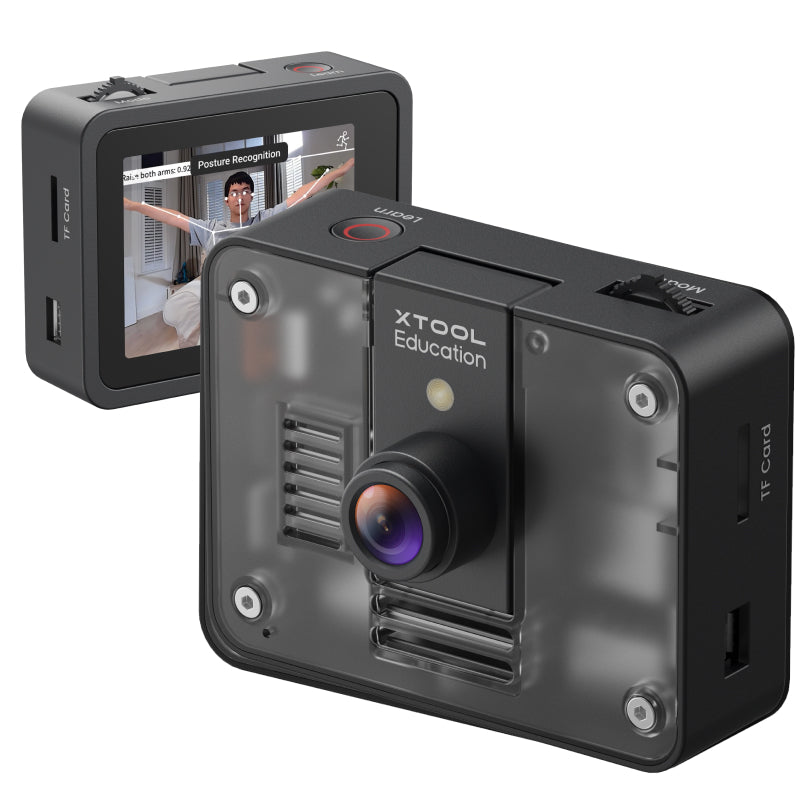
AI Camera :All-In-One AI Vision Module for Education
Explore 9 ready-to-use AI functions right out of the box Plug-and-play simplicity with mBot2 and CyberPi Go beyond demos: train and deploy your own custom AI models Comes with 9 standard-aligned, project-based projects Seamlessly integrates with the mBot2 &…
$129.99
Shop →Best budget option
Makeblock
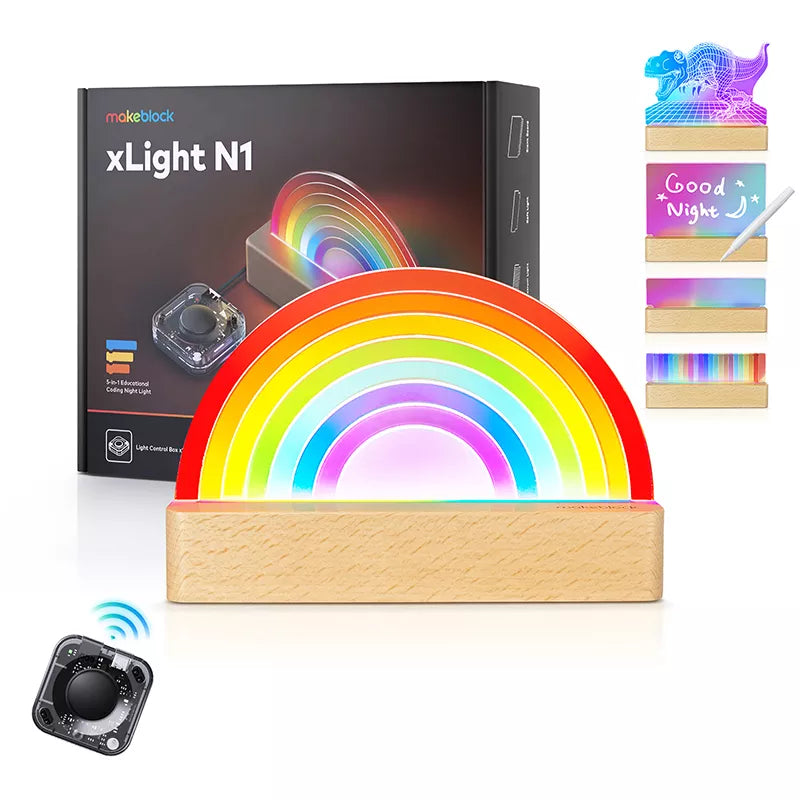
Makeblock xLight: Night Lights with Interactive Programmable Controller
xLight N1 【5-in-1 Coding Night Light】 xLight N1 provides 5 Acrylic Light Boards of unique design including rainbow light, 3D dinosaur light, soft light, spectrum light, and memo blank board.
$53.99 $24.98
We may earn a commission when you buy through our links. It never changes our verdict or your price. How it works
Coding robots and STEM kits can make programming feel concrete. A child who writes a short program and watches a robot respond is learning cause and effect in a way a screen alone often does not offer. The challenge is that the category is wide, with kits ranging from simple building sets to devices that include sensors, displays and artificial intelligence features. This guide explains what to check before you buy and how the products on our site compare.
What to know before you buy
Start with the child, not the gadget. Think about age, prior experience and what you hope the kit will teach. A child who is new to block-based coding needs a different kit from a teenager who already knows some Python.
Next, consider how the kit will be used. Some kits are built around a single robot and a set of lessons. Others are modular, so you can add parts or expand the project over time. Neither approach is better by default. It depends on whether your child prefers a fixed project or open-ended building.
Also check what is included. Our listings show that some products are sold in several versions, such as a basic kit and a larger project-based bundle, or a robot with an optional add-on pack. Read the variant names carefully, because the item you see in a listing may not include every part you expect. Our source data does not list full contents for every product, so confirm the box contents with the seller before ordering.
Finally, think about the price band. Our site describes products as budget, mid-range or premium relative to each other rather than quoting exact prices, since prices change often and sales can shift the figure quickly.
The specs that matter
Programming languages
Many kits support block-based coding, which suits younger children and beginners. Some also support text-based languages such as Python, which become useful as a child grows. Check whether the kit can grow with your child. Makeblock's CyberPi listing, for example, mentions both block-based and Python coding.
Built-in sensors and display
Sensors and a screen let a child build projects that react to light, sound or movement. A full-color display can also make a robot feel more expressive. The mBot2 Rover listing highlights a full-color display that can show customized emojis, while the CyberPi entry describes built-in electronic sensors and a full-color display. Check the sensor list for each product, since the source data does not give a complete list for every model.
Build options and expandability
Some kits can be assembled into more than one form. The mBot2 Rover kit, for example, is listed with three build forms. Expansion through add-on packs or compatible modules can extend the life of a kit, but add-ons usually cost extra, so factor them into your budget.
AI features
AI-based features are becoming common in educational kits. The Makeblock AI Camera is listed with nine ready-to-use AI functions and the option to train custom models. These features can be interesting for older children, but they may be more than a younger beginner needs. Check whether the included projects match your child's level.
Power and battery
Some products list a rechargeable battery. The CyberPi listing mentions a rechargeable, long-lasting battery. Battery life and charging method are worth checking if you plan to use the kit in a classroom or for long sessions. Where our source data does not state battery life, ask the seller directly.
Software
The software environment matters as much as the hardware. Makeblock products reference its mBlock software for coding. Check whether the software runs on the devices your household or school uses, and whether lessons or tutorials are available in the language your child reads best.
Picks for different needs
The Makeblock range on our site covers several different needs, so it helps to match the product to the child.
If your child wants a robot to build and customize, the mBot2 Rover Robotics Kit is the most ambitious option in our list. It offers three build forms and a display that supports custom emojis. It sits at the higher end of the price range, so it suits families who want a larger project.
For a beginner who wants a compact, multi-function board, the CyberPi is a practical choice. It supports both block-based and Python coding, and it is positioned in the budget to mid-range band in our range.
If your child is interested in artificial intelligence, the AI Camera adds computer vision to compatible robot projects. It works with mBot2 and CyberPi and includes project-based lessons. It is an add-on rather than a complete robot on its own, so it is best for children who already have a compatible base kit or plan to buy one.
For a lower-cost introduction to electronics and coding ideas, the xLight night light is a different kind of product. It is a programmable night light with several light boards, aimed at creative coding rather than robotics. It is the most affordable item in our list, but it covers less ground than a robot kit.
Common mistakes to avoid
A common mistake is buying for the age on the box rather than the child's actual skill level. A kit that is too simple can bore a child quickly, while one that is too advanced can cause frustration.
Another mistake is overlooking add-ons. An AI camera or extra build pack may be necessary for the projects you have in mind, so check whether the product you choose works alone or needs a compatible base.
People also sometimes ignore the variant. Two listings for the same product family can include different parts, so compare the exact variant before buying.
Finally, avoid relying only on sale prices. Discounts change, and a product that looks like a bargain may not be the right fit. Decide what your child needs first, then compare value.
Our verdict
The best coding robot or STEM kit is the one your child will actually use. Match the kit to skill level, check the programming languages supported, and confirm what is included. Among the Makeblock products on our site, the mBot2 Rover suits children who want a larger, customizable robot, the CyberPi suits beginners who want a compact board with room to grow, and the AI Camera suits older learners who already have a compatible base. The xLight is a lighter, more affordable option for creative coding. Our source data is limited for some models, so check current specifications and contents with the seller before you buy.
Before you decide
The short version
A good fit if you…
- want a kit that teaches both block-based and text-based coding
- have a child who enjoys building and customizing a robot
- are interested in introducing artificial intelligence concepts
- want an affordable creative coding project
Look elsewhere if you…
- need a complete, verified list of contents for every model before buying
- expect a single product to cover every age group and skill level
- want a robot that works with no add-ons or compatible base kit
Our verdict
For most families, the right choice depends on the child's age, skill level and interests rather than on a single best product. The Makeblock products on our site cover a useful range, from a budget night light to a more ambitious customizable robot. Check the variant, included parts and any add-on requirements before you order, since some details are not fully listed in our source data.
Questions people ask
What age is a coding robot kit suitable for?
Our source data does not list a specific age range for these products. Check the manufacturer's guidance and consider your child's reading level and experience with coding.
Do I need a separate kit to use the AI Camera?
The AI Camera is listed as compatible with mBot2 and CyberPi. It is sold as an AI Camera 2.0 or as part of an mBot2 AI Learning Kit, so check which option includes the parts you need.
Can my child learn Python with these kits?
The CyberPi listing mentions both block-based and Python coding. Other products in our list are not described in the source data as supporting Python, so check each listing.
Are the prices on your site current?
Prices change and sales can end quickly. We describe products by relative price band rather than exact prices in our guides, and you should check the seller for the current price.